 FleetAI365
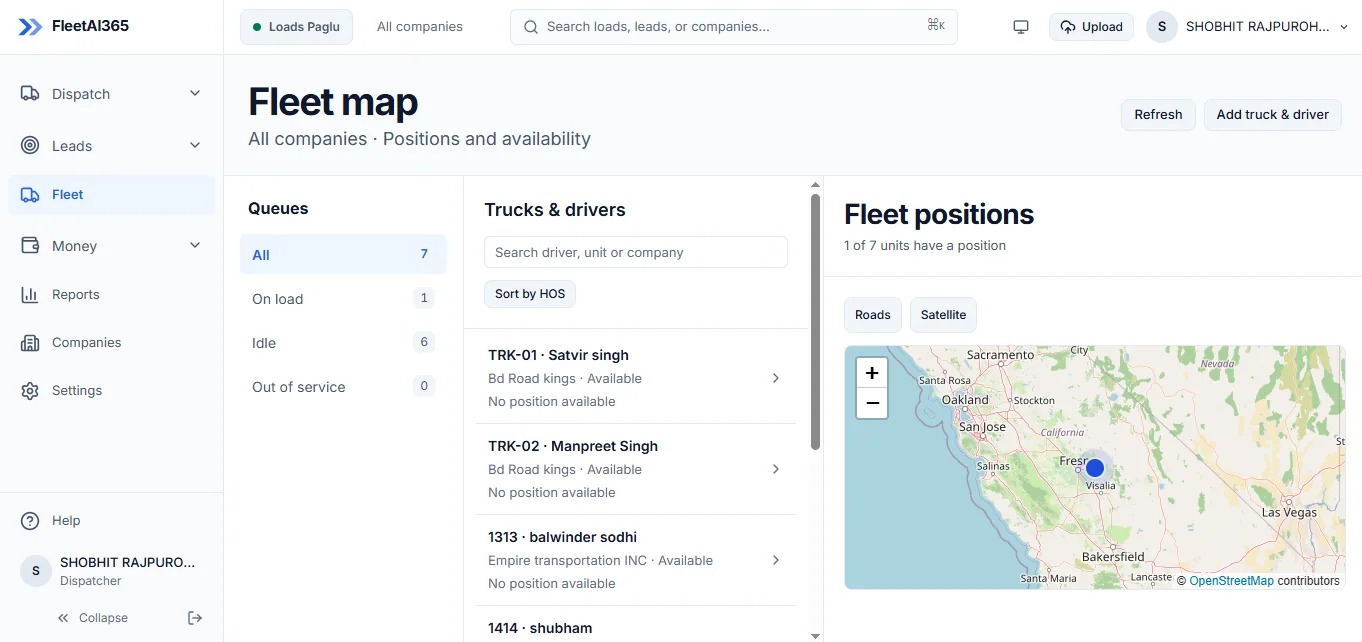
Put the map in dispatch context
The fleet map helps the team view truck positions alongside operating queues. Use location context to decide which load needs a follow-up, which truck appears idle and where an appointment update may be needed.
Choose the connection for your operation
FleetAI365 presents Motive ELD and phone-link location workflows. Discuss the connection, permissions and driver participation needed for your setup during a demo. A product screenshot does not guarantee that a particular device or account is already connected.
Check freshness before acting
A displayed position should be read with its update time and the latest driver communication. Connectivity and device conditions can affect available information. If a position is missing or stale, contact the driver through your agreed process rather than treating the map as proof of arrival or delivery.
Use location information responsibly
Share location access only with appropriate team members and use it with the authority and notice required for your operation. A driver location is operational context, not a substitute for proof of delivery, a facility check-in record or a confirmed appointment.